Free Chrome Extension · No Proxy Required

Burp Suite Power,
Zero Setup

Fuzz endpoints, scan for secrets, replay requests — all inside Chrome DevTools. No proxy to configure. No certificates to install. No account to create. Just open DevTools and start testing.

50+ Secret Signatures
0 Proxy Setup
100% Local & Free

Everything You Need in One Panel

8 integrated security tools that work together without leaving Chrome DevTools.

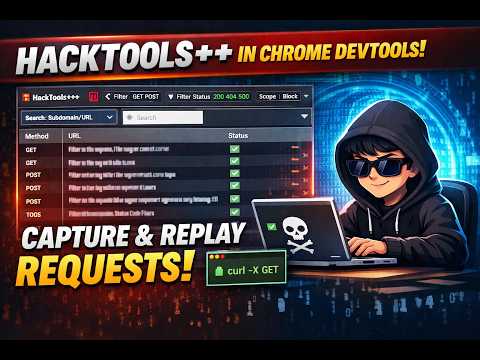
HTTP Repeater

Capture, edit, and replay any request in seconds. Grab any HTTP/HTTPS request from the page, modify the method, URL, headers, or body, and fire it again. Work across multiple tabs with full history.

  • Edit & replay any captured request
  • Multiple tabs with history
  • Pretty JSON + raw + headers + timing
  • Copy as cURL in one click

Intruder

Fuzz parameters at scale without leaving your browser. Mark injection points with §payload§ markers, load a wordlist or number range, and fire up to 20 concurrent requests. Spot anomalies instantly in the results table.

  • §marker§ payload positions
  • Simple list or number range payloads
  • Concurrent requests (up to 20)
  • Results table with diff + response viewer

Decoder

Decode, encode, and inspect tokens instantly. Convert between Base64, URL, Hex, and HTML entities in one click. Inspect JWT payloads without leaving DevTools.

  • Base64 encode / decode
  • URL encode / decode
  • Hex encode / decode
  • HTML entities + JWT inspection

Client-Side Scanner

Audit client-side security in one click. Automated passive and active checks run as you browse — missing headers, insecure storage, DOM XSS patterns, CORS misconfigurations, and more. Findings appear instantly, no manual steps required.

  • Storage & cookie security checks
  • Missing security headers (CSP, HSTS)
  • DOM XSS + postMessage patterns
  • JWT alg=none + CORS reflection
  • IDOR & SQLi detection (active mode)

Tech Detector

Know what's running and what's vulnerable. Passively fingerprint frameworks, libraries, and versions from network traffic. Map every detection to known CVEs using a local database — no external API calls.

  • Framework & library detection
  • Version extraction from headers/bodies
  • Local CVE database mapping
  • Export recon bundle as JSON/CSV

Secret Scanner

Find leaked credentials before attackers do. Scans every response in real time for API keys, tokens, and credentials across 50+ patterns. Everything runs locally in your browser — nothing leaves your machine.

  • AWS, GCP, Azure, Stripe, GitHub keys
  • JWT, OAuth tokens, database URIs
  • Scans runtime/build JS chunks automatically
  • Local validation — no secrets leave your browser
  • Export findings as JSON or CSV

WordPress Audit

Full WordPress recon without external tools. Enumerate plugins, themes, and core version from captured traffic. Map every detection to known CVEs and scan custom endpoints with your own wordlists.

  • Plugin & theme enumeration
  • WordPress core version detection
  • CVE mapping for detected versions
  • Endpoint scanner with custom wordlists

AI Assist

Get test suggestions tailored to each endpoint. Select any request and get instant analysis — endpoint purpose, risk classification, and specific security tests to run. 100% local pattern matching, no data leaves your browser.

  • Endpoint purpose detection
  • Tailored security test suggestions
  • Risk classification per endpoint
  • 100% local — no API calls

Watch HackTools++ in Action

Real demos showing how to use each tool for security testing.

HTTP Repeater & Request Capture demo
Demo

HTTP Repeater & Request Capture

How to capture, edit and replay HTTP requests inside Chrome DevTools.

Intruder & Fuzzing demo
Demo

Intruder & Fuzzing

Setting up payload positions and running automated fuzzing attacks with Intruder.

Secret Scanner & CVE Detection demo
Demo

Secret Scanner & CVE Detection

Automatically detecting leaked secrets and CVEs from runtime JavaScript assets.

Up and Running in 60 Seconds

No proxy setup, no certificates, no configuration files.

  1. Install in One Click

    Add HackTools++ from the Chrome Web Store. Free, under 10 seconds, no account needed.

  2. Browse Your Target

    Open DevTools (F12), click the HackTools++ tab, and navigate. Every request is captured automatically.

  3. Pick a Request & Edit

    Open any captured request in Repeater. Change the method, headers, body — then replay it instantly.

  4. Fuzz, Scan & Export

    Send to Intruder to fuzz with wordlists. Secret Scanner and CVE Detector run automatically in the background. Export findings as JSON or CSV.

What's Coming Next

Features actively planned or in development. Roadmap is updated with each release.

Next Release

GraphQL Inspector

Detect GraphQL endpoints, introspect schemas, and test queries for IDOR, injection, and excessive data exposure.

Next Release

Request Sequences

Record and replay multi-step request chains. Ideal for testing auth flows, CSRF, and session management.

In Development

Export to Burp / Postman

One-click export of captured requests and findings into Burp Suite XML or Postman collection format.

In Development

Custom Scanner Rules

Write and import your own YAML-based detection rules for the client-side scanner and secret detector.

In Development

Response Diff Viewer

Side-by-side comparison of two responses to spot subtle differences in IDOR, access control, and A/B test bypasses.

Exploring

API Contract Testing

Validate API responses against OpenAPI / Swagger specs. Flag undocumented endpoints and schema violations automatically.

Frequently Asked Questions

Built for Security Professionals

Bug Bounty Hunters

Fast recon and fuzzing without the overhead of Burp Suite. Capture, test, and report — all from your browser.

Penetration Testers

A lightweight companion for quick engagements. Replay requests, scan for secrets, and detect CVEs on the fly.

Developers

Run security checks during code review and QA. Catch exposed API keys and missing headers before they reach production.

Security Students

Learn web application security hands-on. No complex proxy setup — just install and start exploring real-world patterns.

Start Testing in 60 Seconds

Free forever. No proxy. No setup. Just open DevTools and go.

Add to Chrome — Free

No account required. No permissions beyond DevTools. Uninstall anytime.